Official 2026 Biometric Standards | GDRFA & ICP Dubai
Dubai Visa Photo Size & Requirements 2026: Biometric Specifications & Baby Guidelines
Avoid the #1 cause of UAE visa delays. Over 40% of applications returned for modification stem from non-compliant photographs. Discover the exact 4.3 × 5.5 cm biometric size, pure white background rules, clothing contrast guidelines, baby photography tricks, and how our VIP concierge crops and resizes your photo for free.
Last Updated: November 2026
Audited by Amer & ICP Visa Specialists
Read Time: 5 Minutes
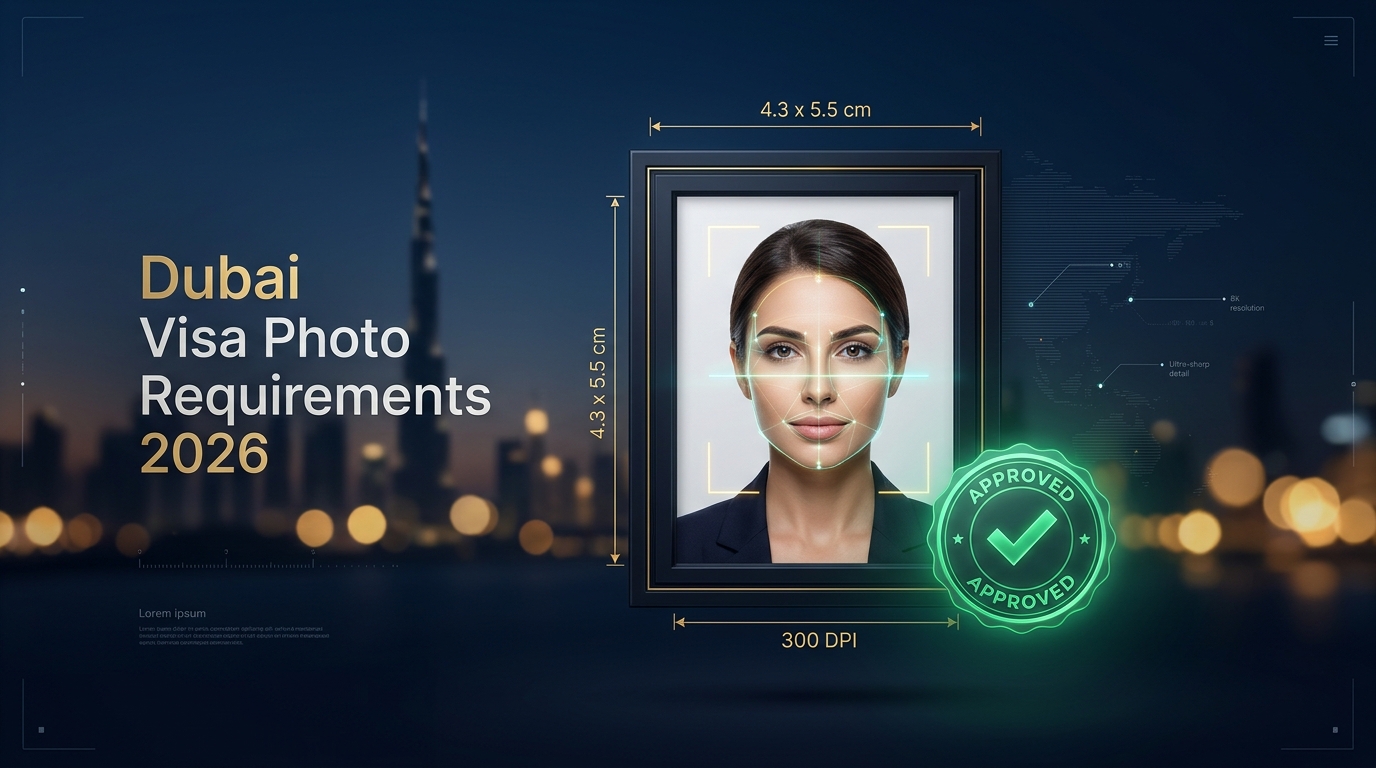
Standard Size
4.3 × 5.5 cm
300 × 369 px to 600 × 600 px (300 DPI)
Background Color
100% Pure White
No off-white, gray, shadows or patterns
Face Coverage
70% to 80%
Centered, top of hair to bottom of chin
Dress Code
Dark / Colored
Avoid white shirts; Hijab permitted
Biometric Visual Comparison: Approved vs. Rejected Photos
APPROVED (DO THIS)
100% Compliant
- Pure Snow White Background without shadows or gradients.
- Full face looking straight at camera (both eyes & ears visible).
- Neutral expression with mouth completely closed & teeth hidden.
- Dark or contrasting clothing (navy, black, blue, dark grey).
- Eyes wide open and clear, without glare or reflections.
- Taken within the last 6 months reflecting current appearance.
- Religious headwear (Hijab/Shayla) clearly framing the forehead, chin, and cheekbones.
REJECTED (AVOID THIS)
Causes Delays
- Wearing a white or cream shirt that blends into the background.
- Shadows behind ears, on the neck, or on the white wall.
- Smiling with visible teeth, laughing, or frowning.
- Tinted glasses, sunglasses, or heavy glare on prescription lenses.
- Tilting the head, side-profile, or looking away from the lens.
- Selfies, cropped casual photos, or filters from social media.
- Hands, pillows, or toys visible in baby or infant photographs.
Official Technical Specifications: GDRFA Dubai vs. ICP Federal
Whether your visa is submitted through the General Directorate of Residency and Foreigners Affairs (GDRFA) in Dubai or the Federal Authority for Identity, Citizenship, Customs and Port Security (ICP) for Abu Dhabi, Sharjah, and Northern Emirates, both immigration portals enforce identical biometric criteria:
| Parameter | GDRFA (Dubai Entry Permit) | ICP (Abu Dhabi / Federal) |
|---|---|---|
| Physical Dimensions | 4.3 cm × 5.5 cm | 4.3 cm × 5.5 cm (or 3.5 × 4.5 cm) |
| Digital Dimensions (Pixels) | Min 300 × 369 px (Max 1000 × 1200 px) | Min 300 × 369 px to 600 × 600 px |
| Resolution (DPI) | 300 DPI minimum | 300 DPI minimum |
| File Format | JPEG (.jpg / .jpeg) or PNG | JPEG (.jpg / .jpeg) |
| File Size Limit | Between 20 KB and 1 MB | Between 10 KB and 100 KB |
| Face Ratio | 70% – 80% of entire frame | 70% – 80% of entire frame |
Crucial Guidelines to Avoid Visa Rejections
1
Dress Code: Why You Must Never Wear White Clothes
Because UAE immigration mandates a 100% pure snow-white backdrop, wearing a white shirt, blouse, t-shirt, or light cream suit causes your shoulders and neck to blend seamlessly into the background. The GDRFA biometric automated AI scanning engine cannot detect your upper torso boundaries and will instantly trigger a “Return for Photo Modification”. Always wear dark, contrasting colors such as dark navy, royal blue, charcoal black, or deep burgundy.
2
Can You Wear Hijab / Religious Headwear in UAE Visa Photos?
Yes, absolutely. Religious headwear (such as Hijab, Shayla, or Turban) is completely permitted under UAE immigration law. However, strict biometric rules apply:
• The face must be visible from the lowest tip of the chin up to the top hairline/forehead.
• Both cheekbones and edges of the face must remain unobscured.
• The hijab should ideally be a dark or solid color (black, brown, navy, green). Avoid wearing pure white headscarves, as they merge into the background.
3
Eyeglasses & Contact Lenses: Official Protocol
Immigration officers strongly recommend removing glasses altogether when taking your photo. If glasses must be worn for severe medical reasons:
• Lenses must be completely transparent with zero tint, zero sunglasses effect, and zero glare from studio lighting.
• Frames must be thin and cannot cover any portion of the pupil or iris.
• Colored or cosmetic contact lenses that change your natural eye color are strictly forbidden, as they corrupt airport biometric iris recognition scanners.
4
Special Guide: Newborn Babies, Infants & Toddlers Photos
Every child, including newborn infants born just days prior, must have an individual photograph and their own passport. Capturing a compliant baby photo is notoriously difficult, but following these steps guarantees approval:
Strict Prohibition: Absolutely no parents’ hands, arms, supporting fingers, toys, pacifiers, or baby bottles may appear anywhere in the frame.
Live Biometric Visa Photo Validator
Check off each condition below to test if your photograph meets official GDRFA / ICP Dubai standards before submission:
0% (6 Steps Remaining)
Don’t want to risk a government rejection? Our visa officers will crop, resize, and background-correct your photo for free with your visa application.
How to Fix “Return for Photo Modification” on GDRFA / ICP
If your application status changes to “Returned for Photo Modification” (إعادة الطلب لتعديل الصورة), don’t panic. Your visa has not been permanently rejected; the immigration officer is giving you a 48-hour window to upload a compliant photo without paying new government fees.
- Read the Officer’s Specific Note: Check whether the note specifies “Background color”, “Clothing contrast”, “Image resolution”, or “Baby photo invalid”.
- Retake, Do Not Artificially Filter: Do not use photo editing apps that apply aggressive airbrushing or remove natural facial contours, as AI biometric engines flag artificial image manipulation.
- Ensure Exact 4.3 × 5.5 cm Crop: Crop the image so that the face accounts for 75% of the frame and the top of the hair has roughly 10% white margin above it.
- Re-upload via Official Portal or Travel Agent: Submit the corrected file. Processing typically resumes within 4 to 12 working hours once approved.
Frequently Asked Questions (FAQ)
Can I take my Dubai visa photo with a smartphone?
Yes, modern smartphones have sufficient resolution. However, you must use the back camera (not selfie mode to avoid wide-angle lens distortion), stand 1.5 to 2 meters away against a well-lit white wall, avoid all shadows, and have another person take the picture for you.
What is the exact photo size for Dubai tourist visas in pixels?
For digital uploads on GDRFA and ICP portals, the minimum required resolution is 300 × 369 pixels, and optimal dimensions are 600 × 600 pixels (or 1000 × 1200 pixels) at 300 DPI, with file size under 1 MB.
Can I smile in my UAE visa photo?
No. You must maintain a strictly neutral facial expression with your mouth completely closed and no teeth visible. Smiling alters facial biometric markers and will lead to an automated system rejection.
Is a blue or grey background allowed for Dubai visas?
No. Unlike Malaysian or older international standards that used blue backgrounds, the UAE government strictly mandates a 100% plain white background. Blue, grey, patterned, or off-white backgrounds are immediately rejected.
Can I wear jewelry, earrings, or nose studs?
Small, subtle stud earrings or small nose studs are acceptable as long as they do not reflect flash glare or conceal any part of the facial contours. Large dangling earrings, necklaces that cover the collar, or heavy face jewelry should be removed.
What happens if my baby’s eyes are closed in the photo?
Both eyes must be open and clearly visible even for newborn babies. Immigration rules allow slight tolerance for infants under 1 year, but closed eyes frequently trigger manual review delays. Capture the photo when the baby has just woken up or is alert.
Ready to Apply for Your Dubai Visa with Guaranteed Photo Approval?
Choose from 14-day, 30-day, or 60-day Dubai visas with 100% compliant biometric photo processing handled by our authorized visa desk.